MagicFlix 2: How do I create a page funnel?
1 month ago
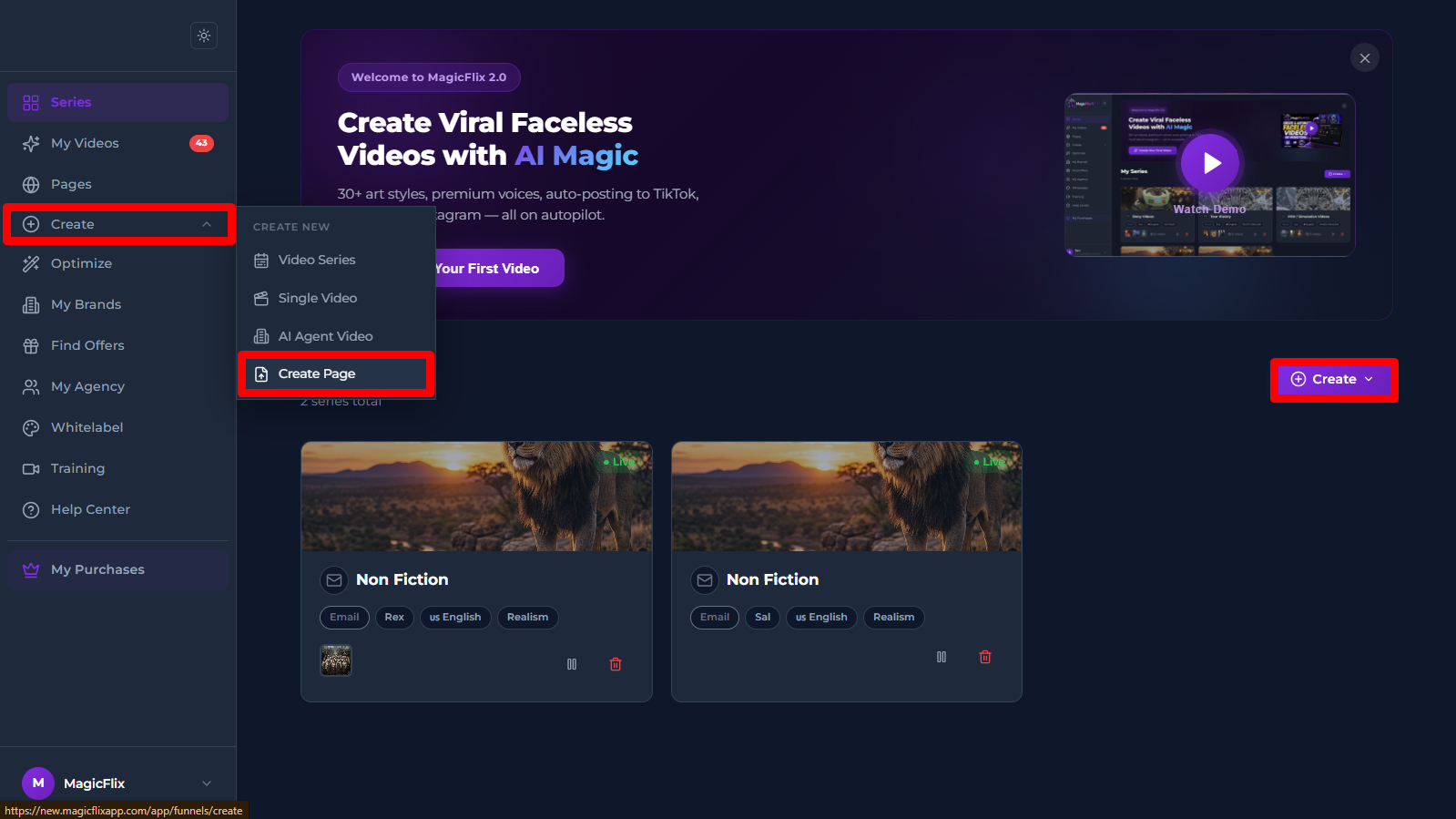
- Login to Magicflix, in your Dashboard click on the create button to the right or the Create tab to the left, then select “Create Page”
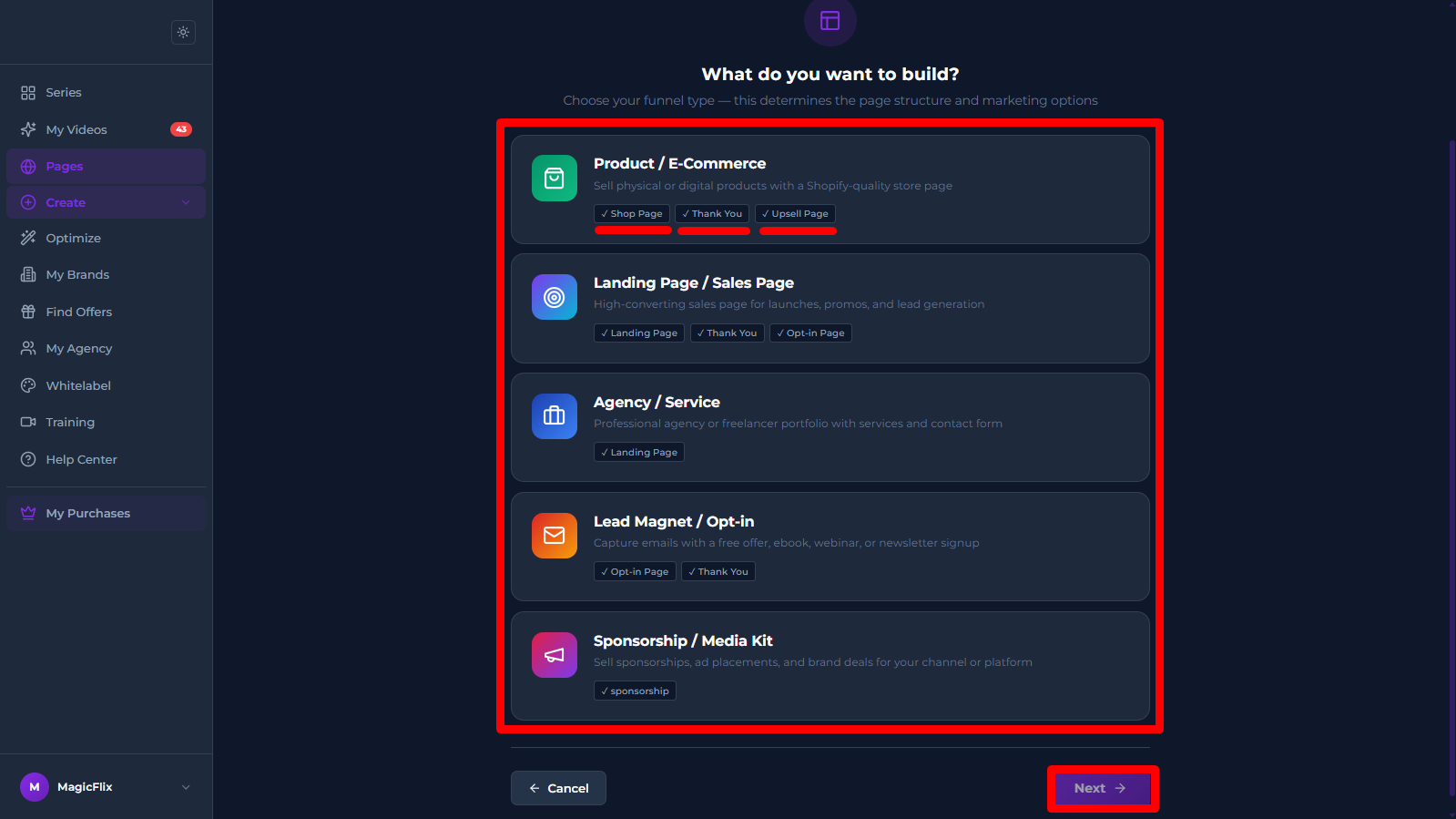
- Step 1: Type
Pick the type of page you want to creat Product page, Landing page, or more.
Then click “Next”
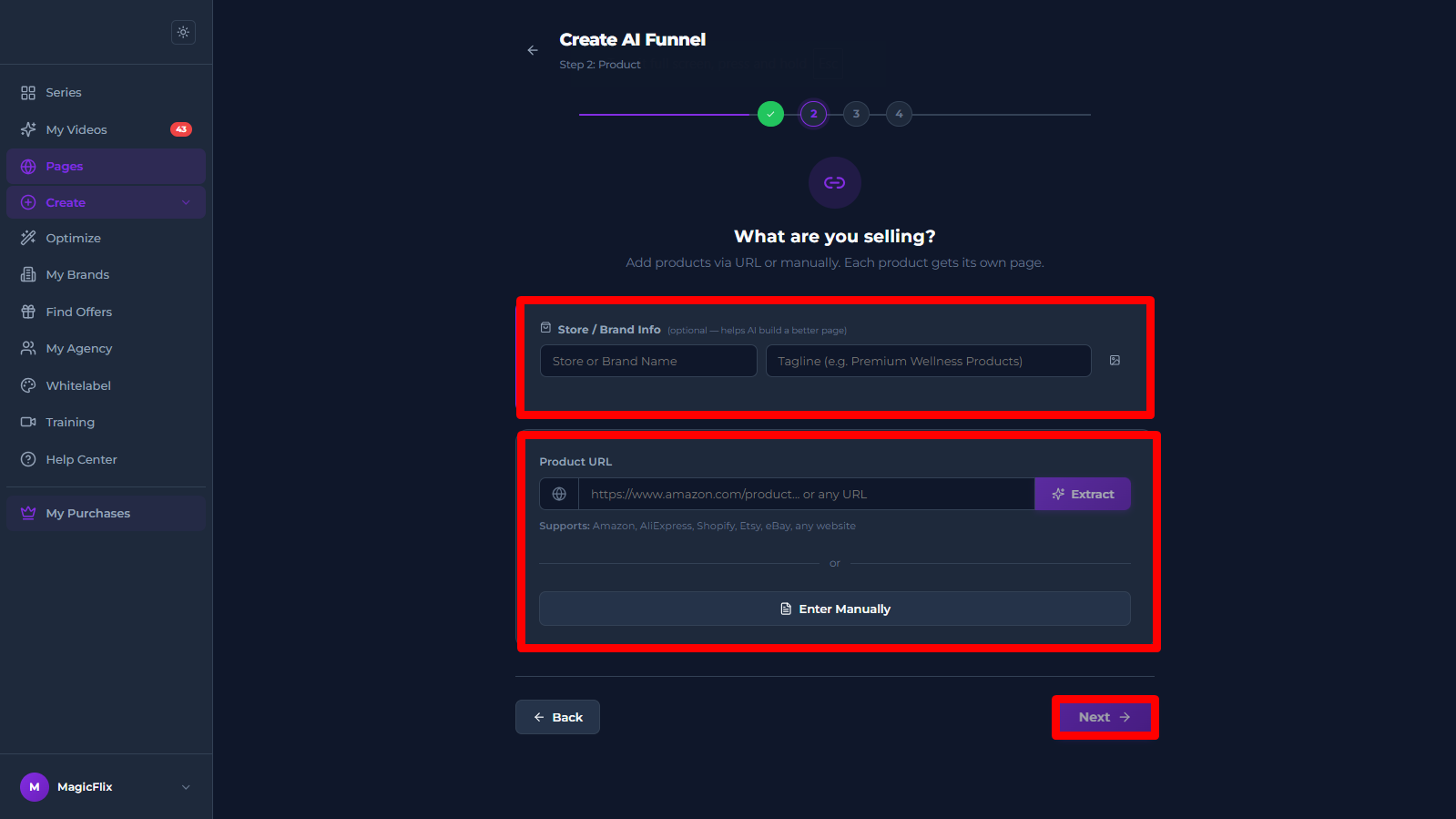
- Step 2: Product
- Start by adding your brand info: Brand name, Tagline, and Upload any images you need.
- Add the link to your Product/Service so the AI can extract the required information from that link.
Or you can pick the “Enter Manually” option and enter your product information manually. - When you are done click “Next”
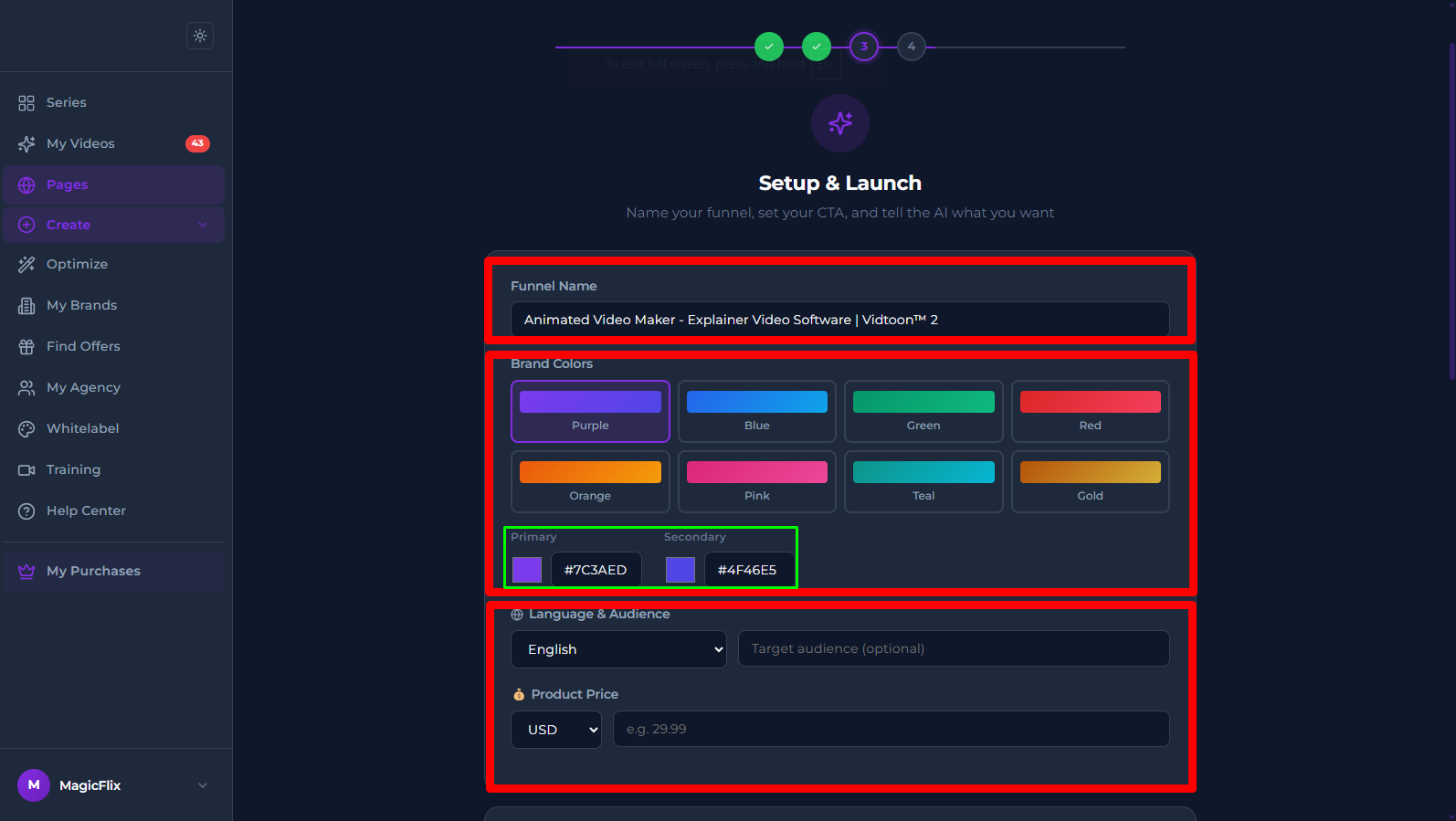
- Step 3: Setup & Launch
- Verify and edit the funnel name
- Pick your brand colors, if none of the options match your brand, you can pick custom colors manually
- Pick your language, and optionally add your target audience it will help the AI craft a copy specific to target your audience
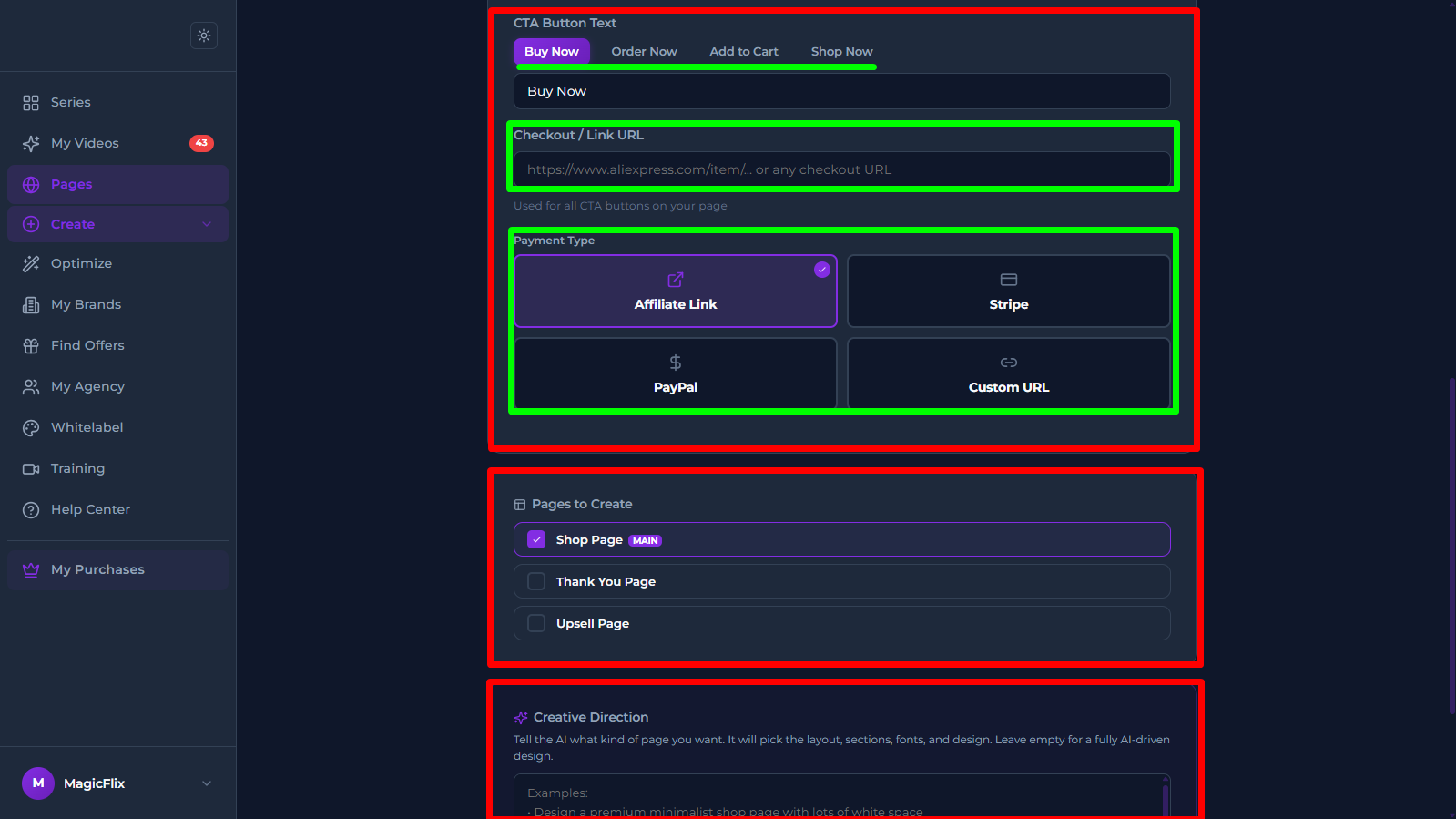
- Call To Action Button:
- Pick one of the premade buttons (Buy Now, Order Now, …) or Input your own custom text.
- Add our checkout URL
- Pick your payment method
- Pages to Create: Select the pages you want to be created, you can proceed with only Main Page, or add other pages.
- Creative Direction: If you have any other instruction you want the AI to follow you can add them here.
- Once you are satisfied with everything click on “Generate Funnel”
- MagicFlix will now generate your Funnel Page
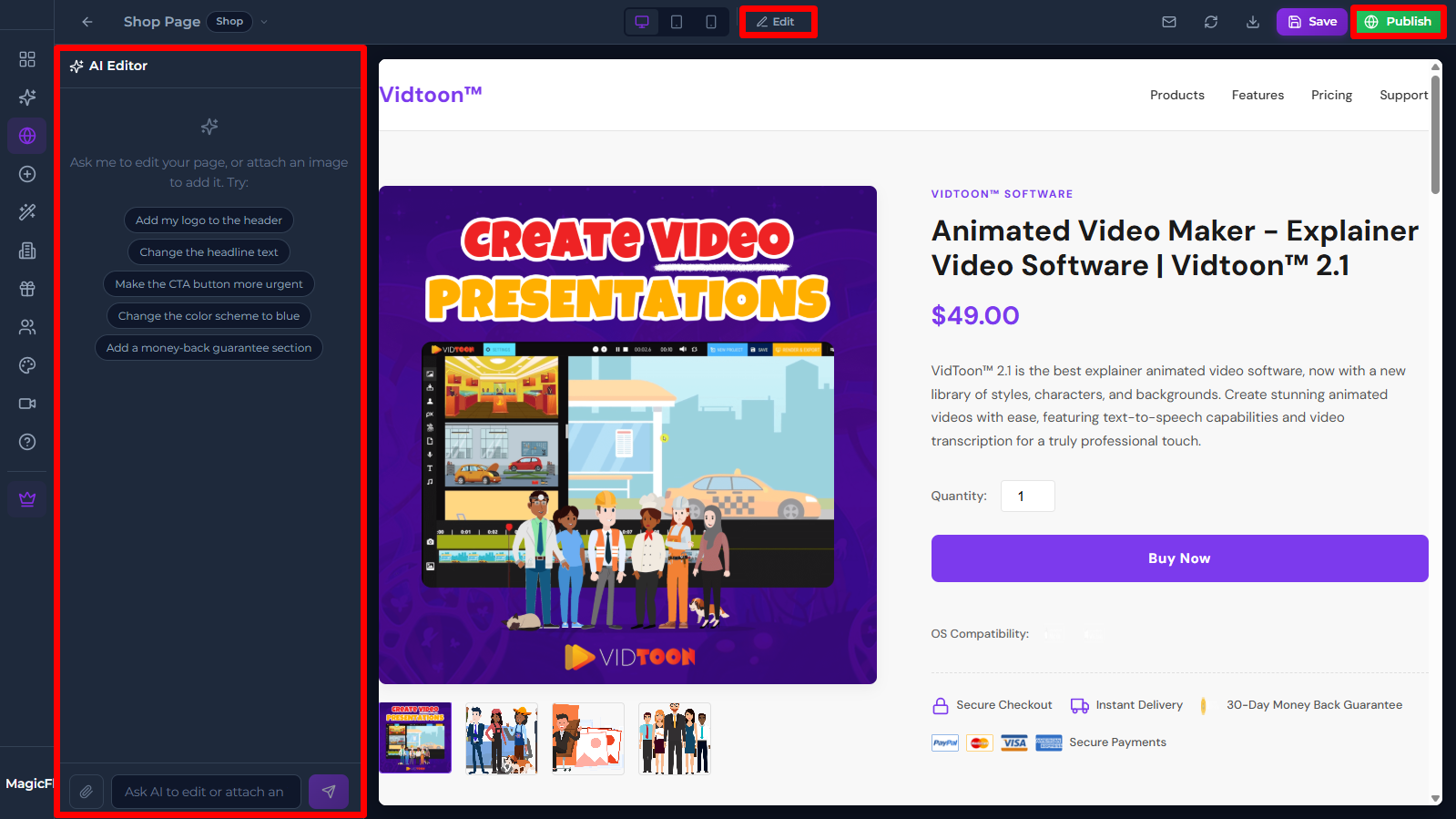
- Review your page, if you are happy with it you can publish it by clicking on the “Publish” button (top right)
- If you want to edit your page before publishing you can toggle editing by clicking on “Edit”, then either edit the page manually or use the AI Editor to edit the page easily just by chatting with the AI.
- You can read this article on how to edit your pages: [INSERT LINK]
Still No Luck ? We can help you
Create a ticket, we’ll get back to you as soon as possible.
Submit a Ticket