MagicFlix 2: How do I connect my TikTok account?
1 month ago
There are two ways to connect your TikTok account to MagicFlix: from your profile, or directly while creating a series.
- Method 1: connect from your profile.
- From your MagicFlix dashboard, go to your profile section.
- Click the "Connected Channels" tab.
- Find TikTok and click "Connect".
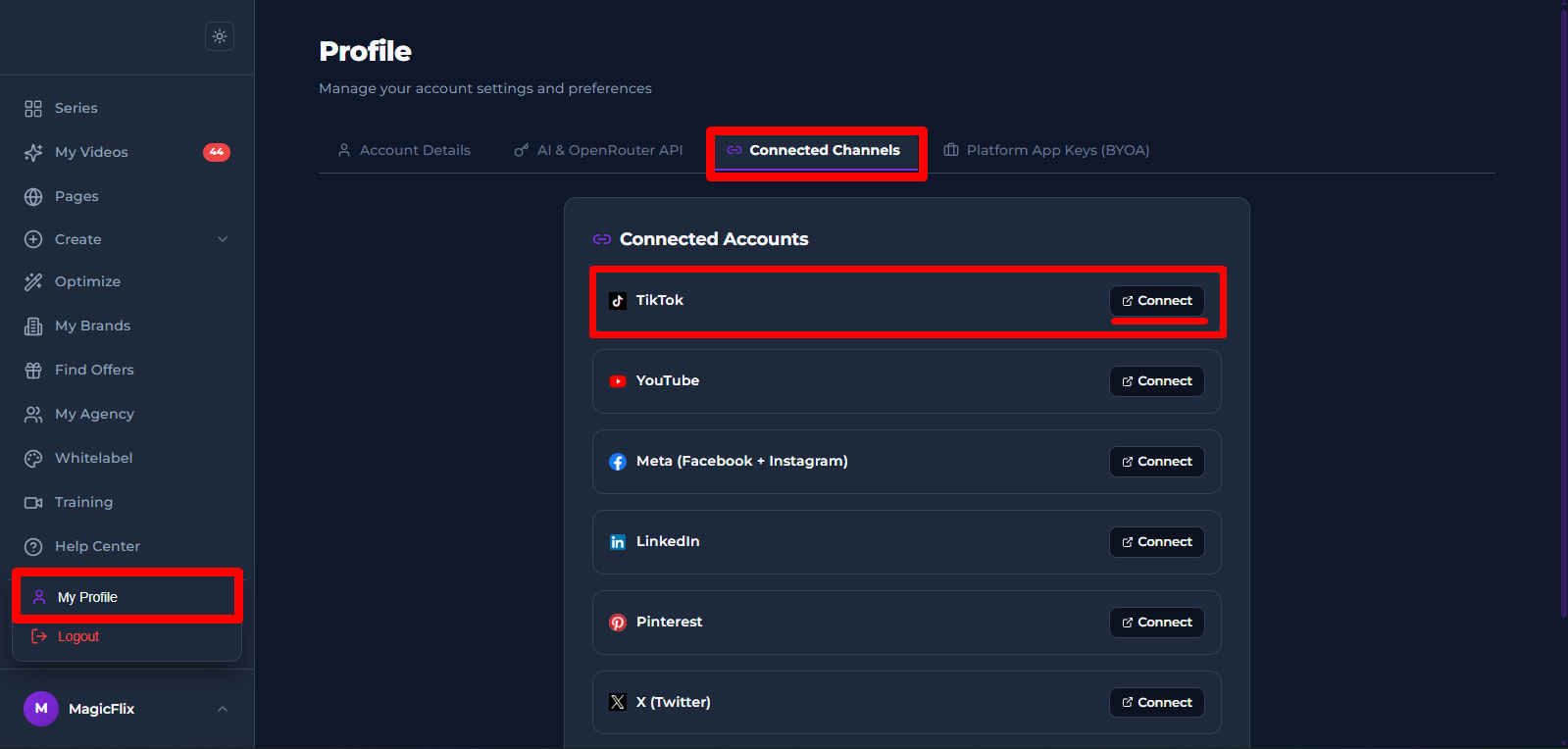
- Approve the connection and your TikTok account should be linked
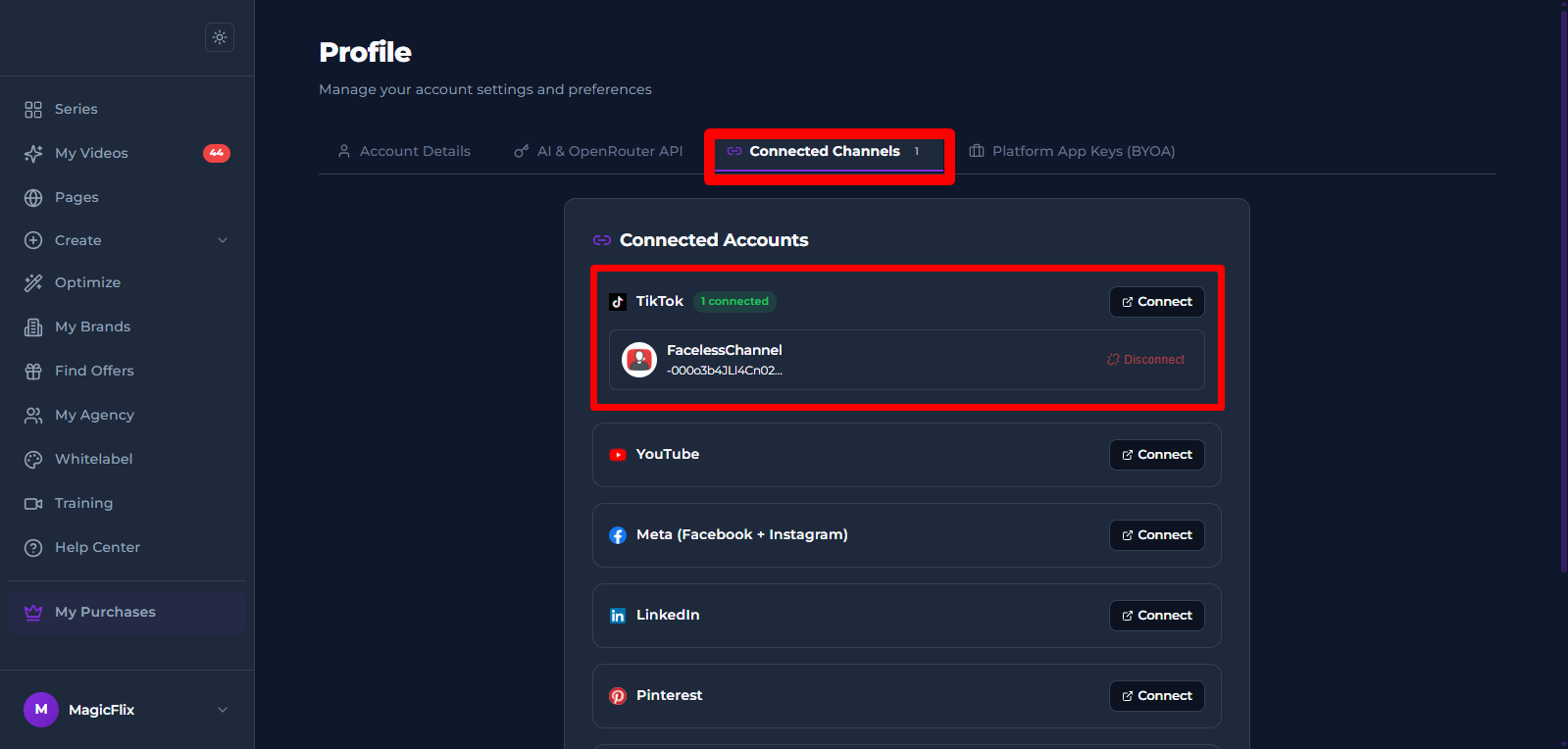
- Method 2: connect while creating a series.
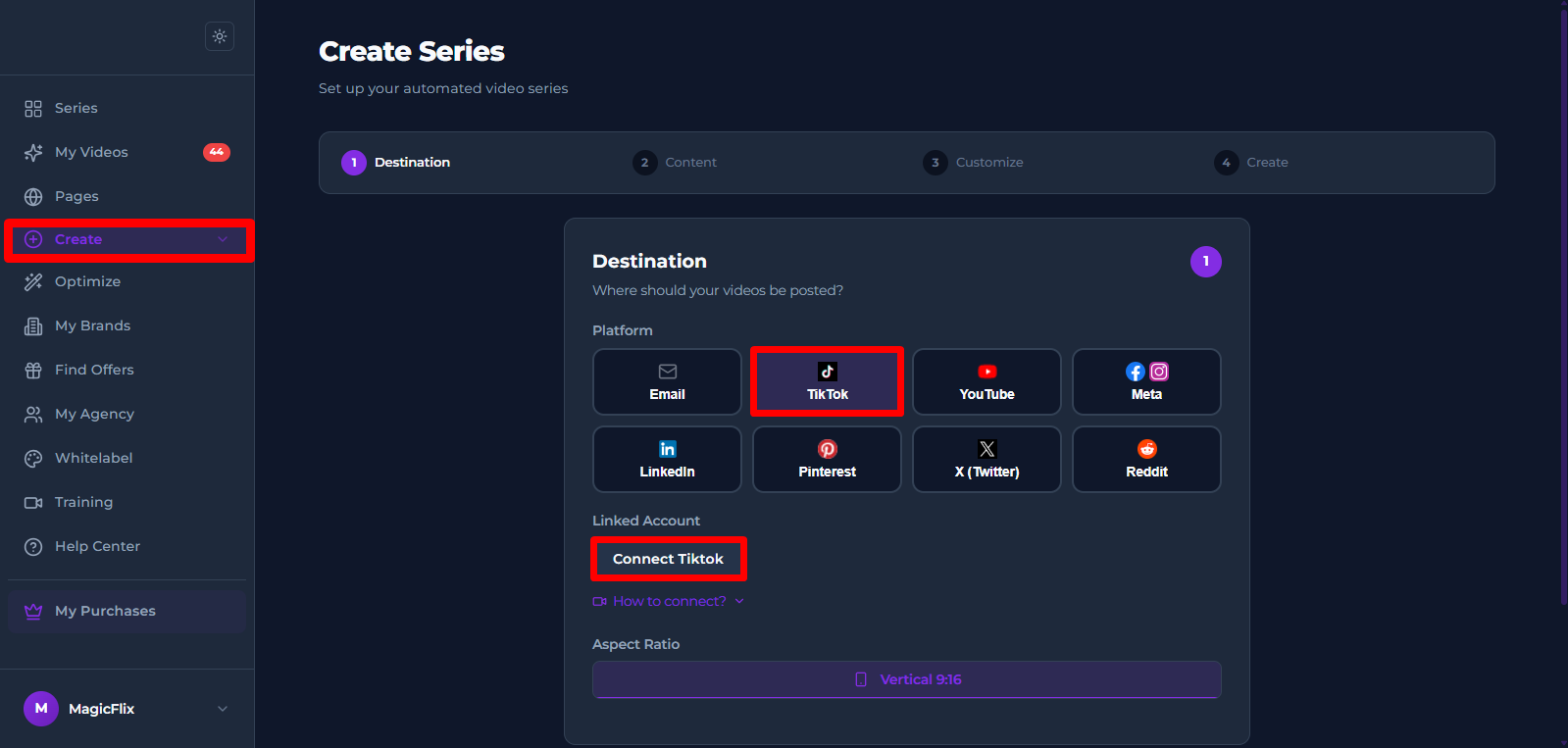
- Click "Create" in the MagicFlix dashboard.
- In Step 1: Destination, select Meta as your platform.
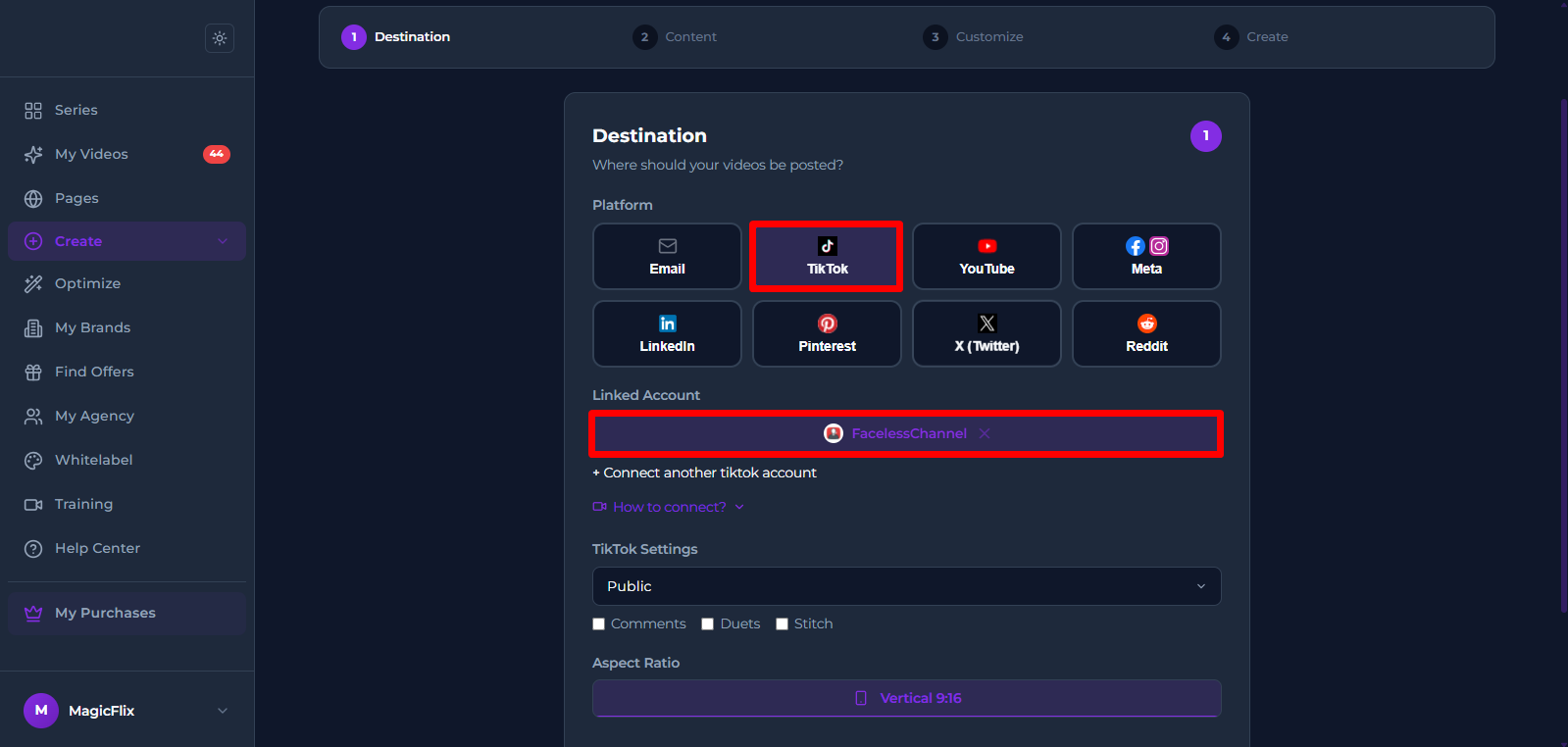
- Click "Connect TikTok" and link your account.
- You account should be linked now, you can go ahead and finish creating your series.
Still No Luck ? We can help you
Create a ticket, we’ll get back to you as soon as possible.
Submit a Ticket