How Do I Set Up My API Keys on MagicFlix?
1 year ago
MagicFlix integrates with powerful tools to give you the best video creation experience, but to unlock full functionality, you’ll need to connect a few API keys. Don’t worry, it’s simple, and we’ll walk you through it step-by-step.
What Are API Keys?
API keys are like digital access cards. They let MagicFlix communicate securely with services like:
-
OpenAI: for script generation
-
AssemblyAI: for audio-to-text transcription
-
Runware: for AI-generated images
-
Unsplash: for high-quality stock photos
-
Tenor: for animated GIFs
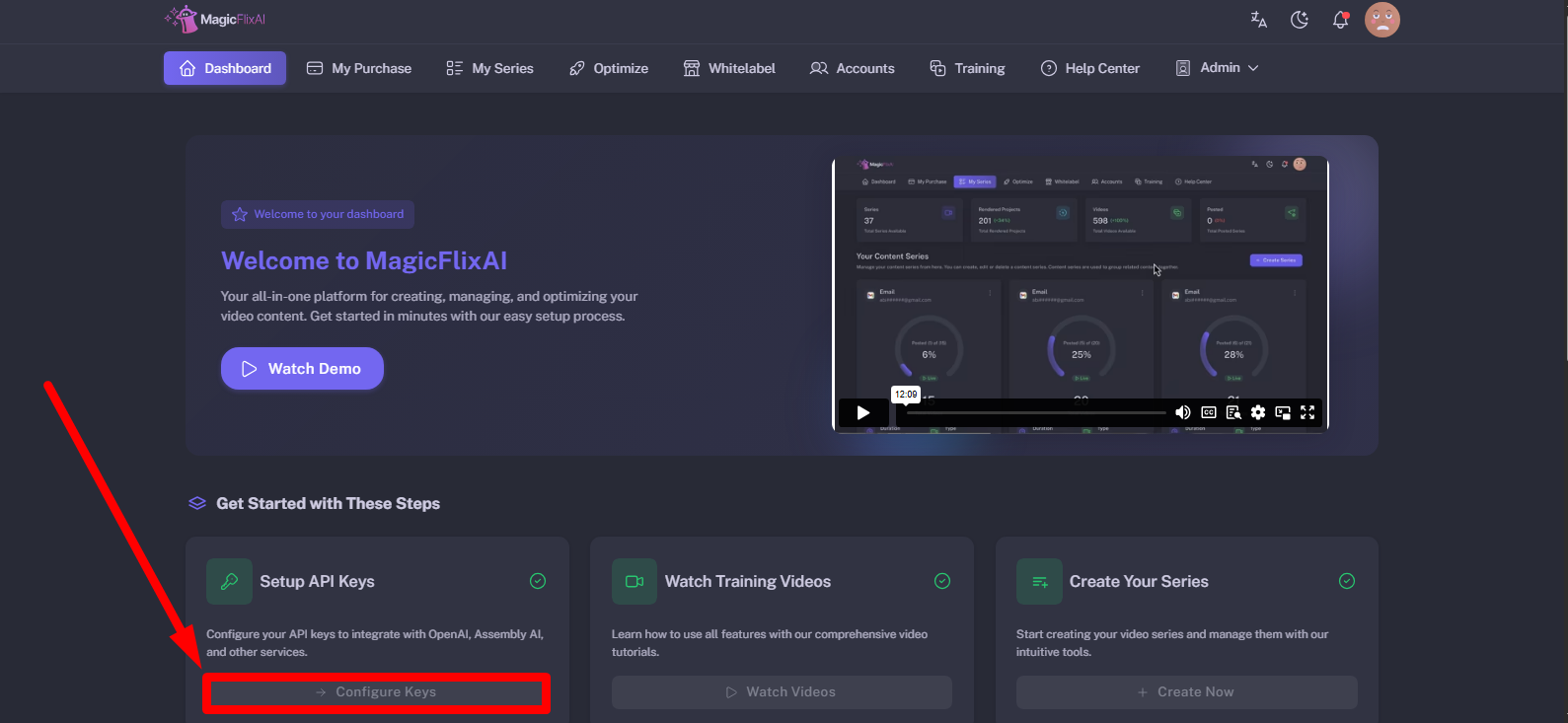
1. Log in to your account, and click on Configure Keys from the dashboard.
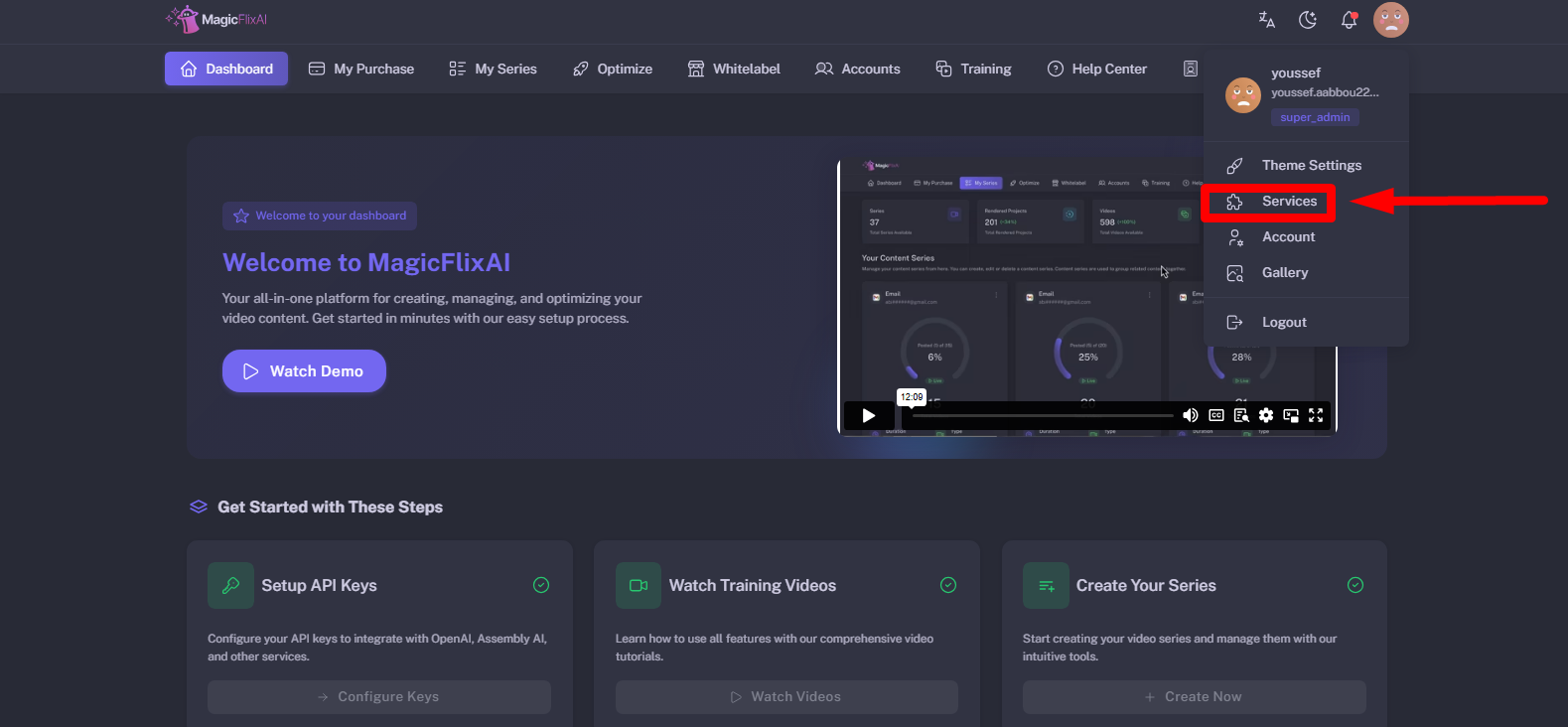
Or, select services from the profile area.
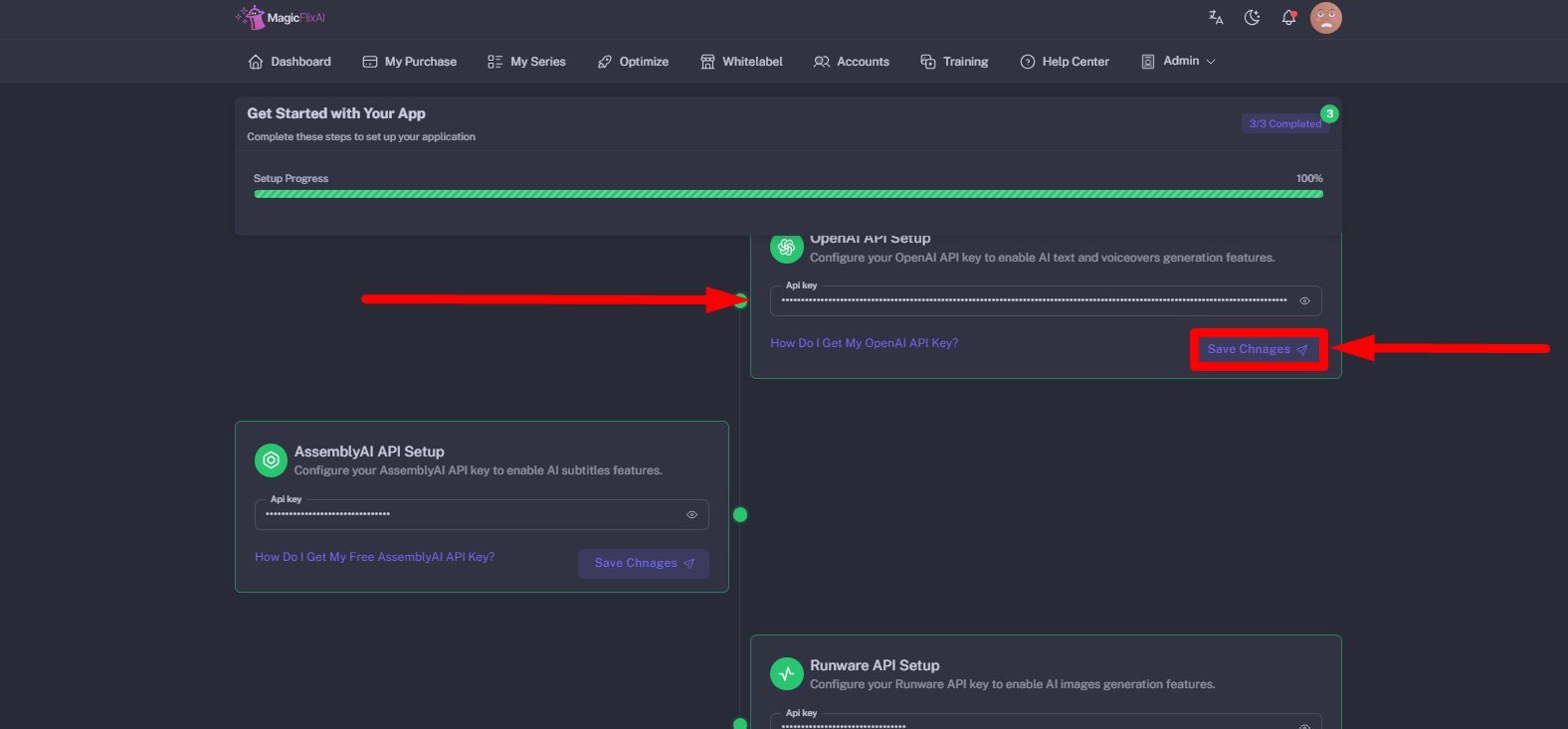
2. Enter your API Keys & click Save Changes.
Still No Luck ? We can help you
Create a ticket, we’ll get back to you as soon as possible.
Submit a Ticket