The Find Offers feature lets you search for products and affiliate offers across multiple marketplaces, save the ones you like, and find influencers to help promote them, all without leaving MagicFlix.
- From your MagicFlix dashboard, click "Find Offers" in the left sidebar. You'll see three tabs at the top: Marketplace, Saved Offers, and Influencers.
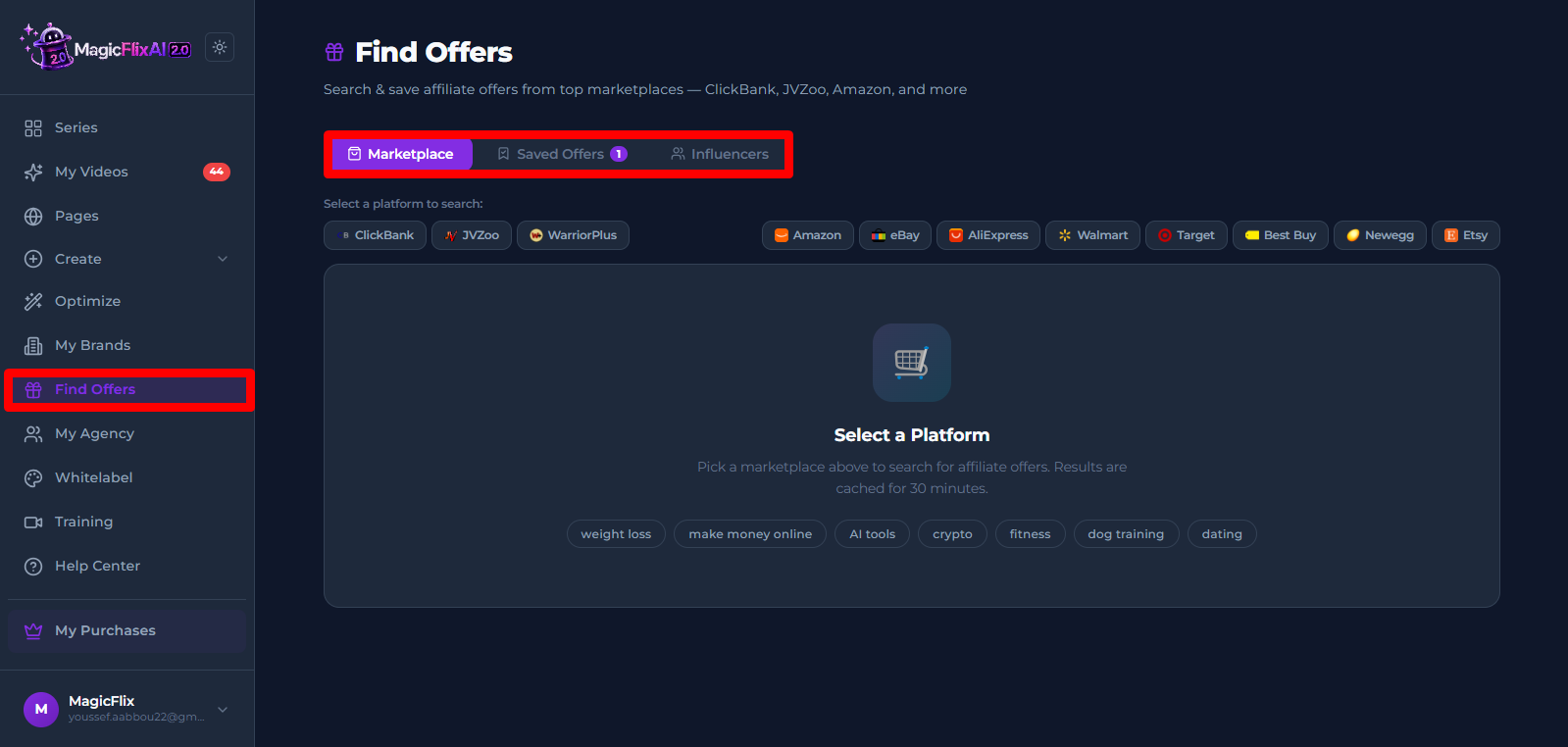
- Marketplace: search for products and affiliate offers.
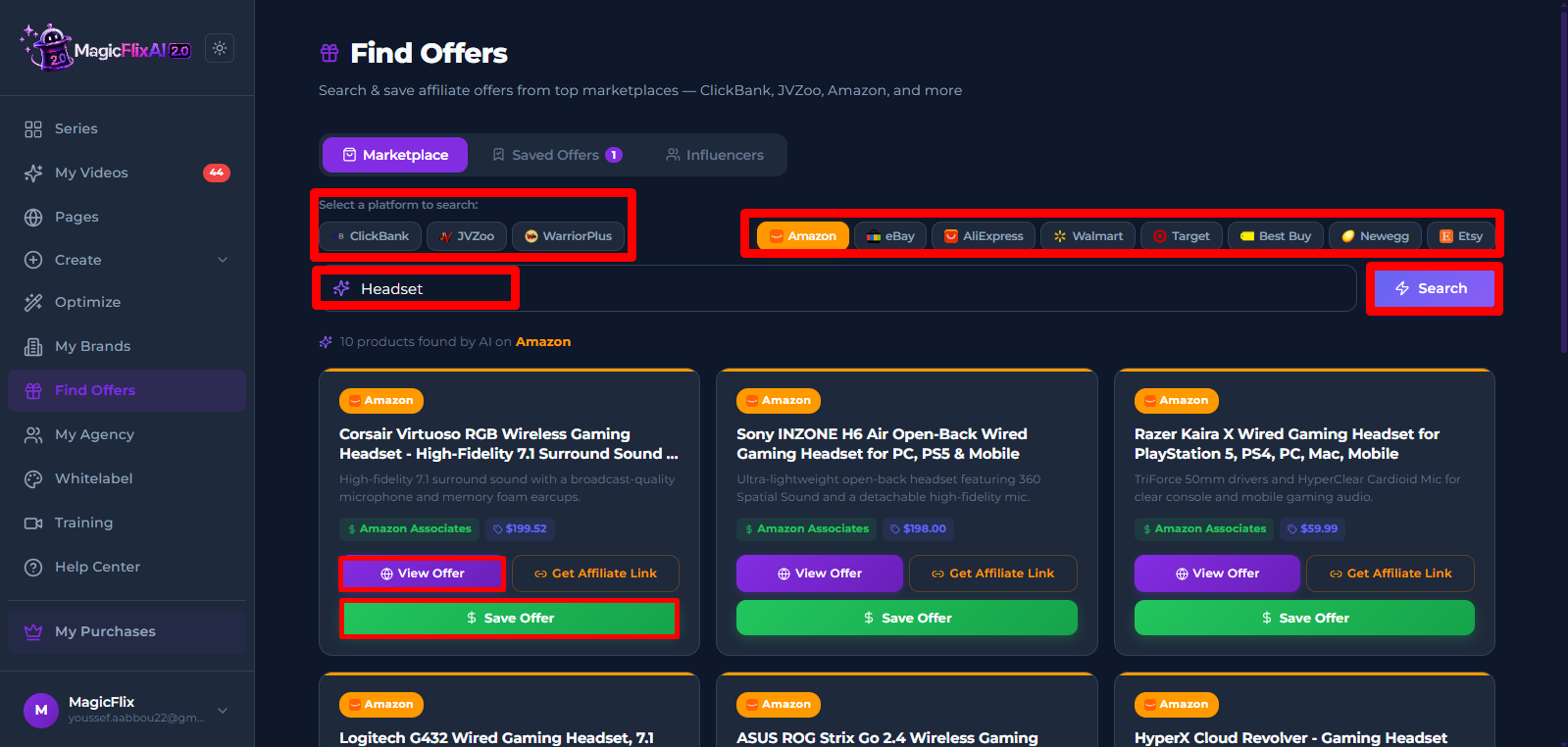
- Select a platform.
- Digital product marketplaces such as ClickBank, JVZoo, and Warrior Plus: best for high-commission affiliate offers like online courses, software, and marketing tools.
- General e-commerce platforms such as Amazon, eBay, and AliExpress: best for physical products to sell or promote.
- Enter your keyword, for example "fitness tracker" or "weight loss".
- Click "Search". MagicFlix pulls up the best matching offers.
- Scroll through the results and click "View Offer" to check any offer out on the platform.
- Click "Save Offer" to keep it for later.
- If you want to build a full sales funnel around a saved offer, see our article on the MagicFlix AI Funnel Builder:
https://help.magicflixapp.com/knowledge-base/68-magicflix-2-how-do-i-create-a-page-funnel
- Select a platform.
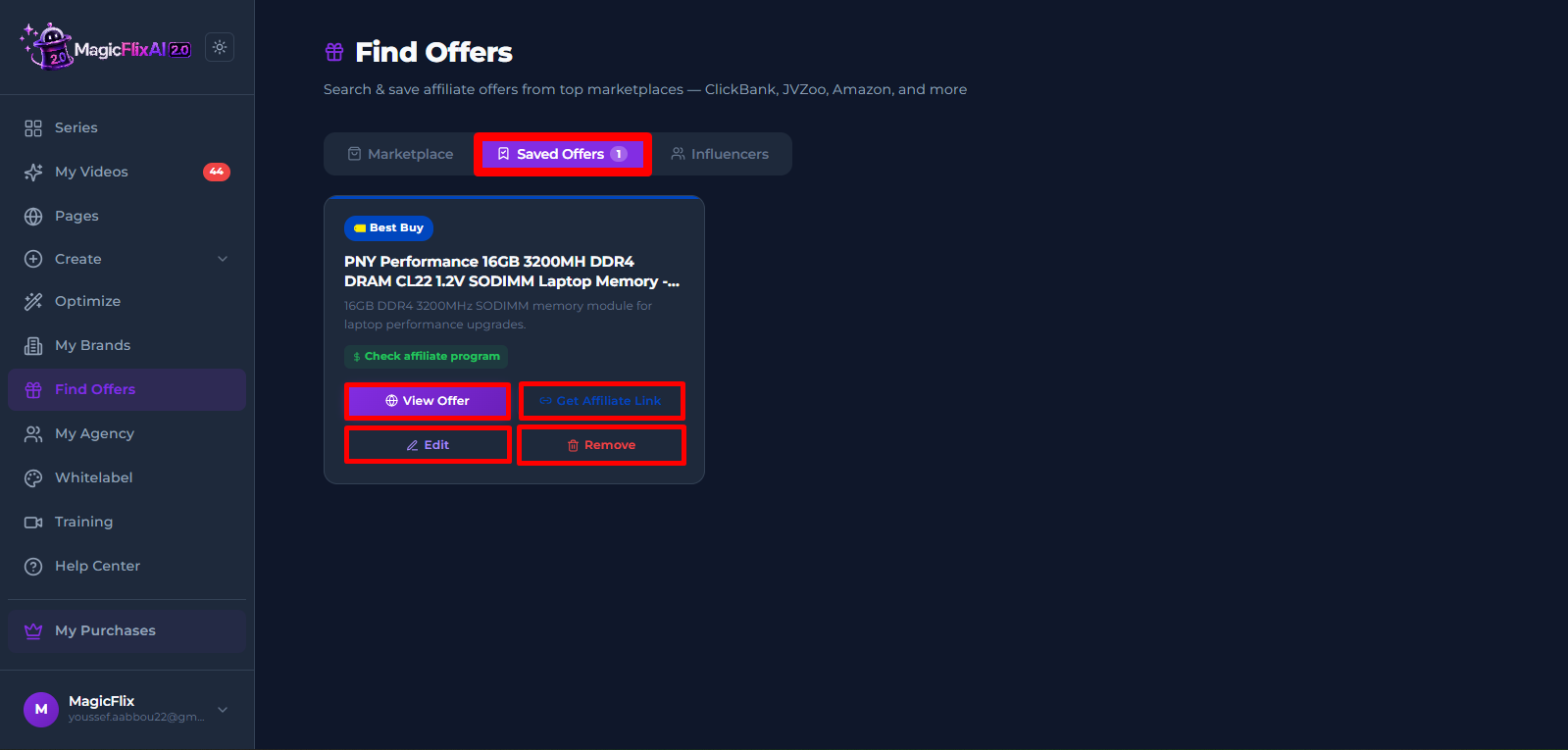
- Saved Offers: your personal library of every offer you've saved.
- Open the "Saved Offers" tab to see your full list.
- View, edit, or remove any offer from here.
- You can also get your affiliate link by clicking on “Get Affiliate link” and follow the instructions for each platform.
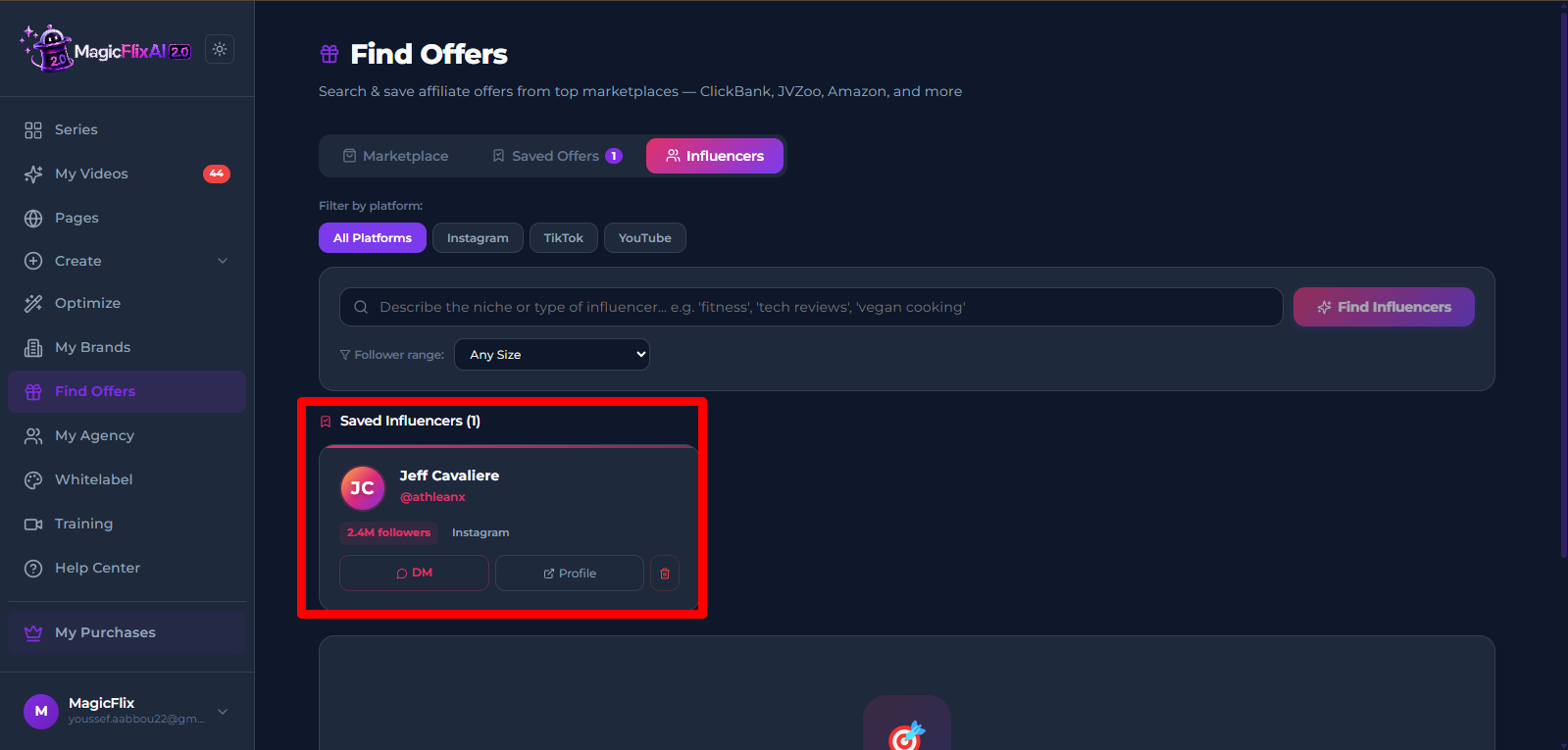
- Influencers: find content creators to help promote your product.
- Filter by platform: Instagram, TikTok, YouTube, or search all of them at once.
- Describe your niche in the search box, for example "fitness," "tech reviews," or "vegan cooking."
- Optional: filter by follower size to match your budget and product.
- Click "Find Influencers". MagicFlix shows a list of creators that fit your criteria.
- Click a creator to view their profile directly.
- Click "DM" for a pre-written outreach message. Fill in your name and product name and it's ready to send.
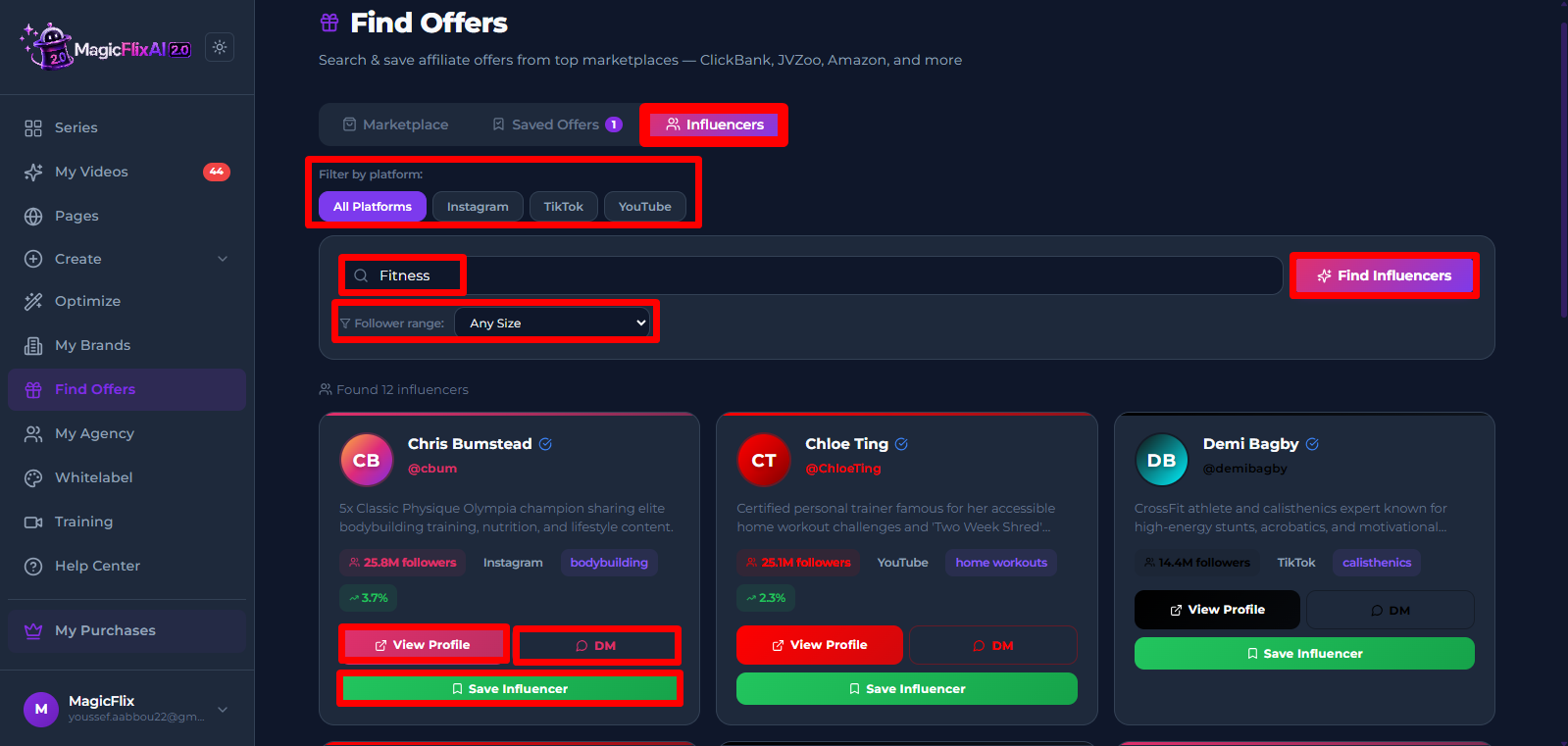
- Save a creator to find them again later in the Influencers tab.
Together, these three tabs help you find the right products, save your best options, and connect with influencers to promote them, all without leaving MagicFlix.
Still No Luck ? We can help you
Create a ticket, we’ll get back to you as soon as possible.
Submit a Ticket